

Plan a Productive Day in 10 Minutes
Most days do not fail because you are lazy. They fail because they start without a plan. You open your laptop, check your messages, answer whatever shouts loudest, and by noon you have been busy for hours without doing the one thing that actually mattered. The day just never had a shape.
Planning takes ten minutes: a pen, a single page, once a day. In those ten minutes you choose what matters, give it a time, and leave room for everything else. This guide shows you how.
Why Most Daily Plans Fail
Most daily plans fail for the same three reasons. First, they list too much. A list of eighteen items is not a plan; it is a wish list that becomes a source of guilt. Second, the plan has no times attached. “Work on the report” with no hour assigned will drift all day and usually lose to whatever arrives next.
Third, the plan assumes a perfect day. It leaves no room for a late meeting, a slow morning, or a message that needs an answer now. The first surprise breaks the plan, and once the plan is broken, most people abandon it entirely and spend the rest of the day reacting. A good plan avoids all three traps: it names a few things, gives them times, and leaves empty space on purpose.
When to Plan: The Night Before Wins
You can plan in the morning or the night before, and both work. But the night before has a clear edge. You wake up already knowing your first move. There is no morning drift, no twenty minutes of deciding what to do while your inbox decides for you.
Keep the routine short and fixed. At the end of your workday, take ten minutes with your planner or a blank page. Look at tomorrow’s calendar, pick your three priorities, block their times, and write down the small tasks you will batch. Then close the planner and stop working. If evenings do not work, plan first thing in the morning — before the world starts asking things of you.
Step 1: Pick Your Three Most Important Tasks
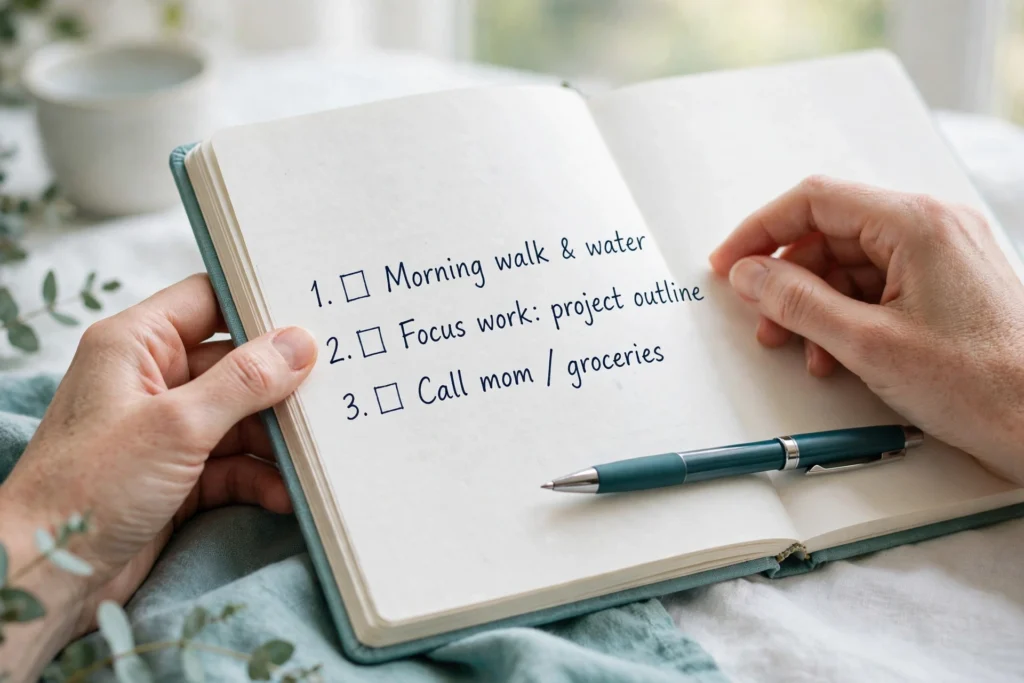
Start every plan with three tasks — your Most Important Tasks, or MITs. Three is the right number: one is too little for a full day, five is too many to finish, and three is enough to make the day feel like a win. Ask yourself one question: if I finished only three things today, which three would make the day a success?
Choose tasks that move something real forward: finish the draft, send the proposal, call the client, complete the lesson. Make each MIT specific enough that you will know when it is done. Write the three MITs at the top of your page, in order, and circle the first one. That is where your day starts.
For a deeper look at choosing well, read The 3 MIT Method.
Step 2: Timebox Your Day

A list without times is a hope. Give each MIT a block on your calendar, with a start and an end. Your hardest MIT gets your best hours — for most people, that is the morning. Put it first, before email and messages, and give it ninety minutes if you can. The second MIT gets the next best block.
Then add the rest of the day around them: a block for email, a block for calls, a block for admin, and breaks between them. Do not fill every minute. Leave at least an hour of open space across the day for the unexpected. A day planned to one hundred percent is a day that breaks at the first surprise; a day planned to seventy percent bends and holds. Timeboxing explains how to set these blocks and keep their edges firm.
Keep the schedule visible — on your desk or as calendar blocks — somewhere you will see it when you wonder what to do next.
Step 3: Batch the Small Stuff
Small tasks destroy more plans than big ones do. Email, messages, quick calls, forms, and scheduling arrive all day, and each one pulls you out of your MITs. The fix is to give them their own blocks instead of letting them steal time from everything else.
Look at your small tasks and group them: one or two email blocks, one call window, one admin sweep. Put those blocks on your plan after your first MIT, not before it. Your first hour belongs to your first MIT; email can wait until late morning. Task batching shows how to group email, calls, and admin into tight blocks that clear the pile without eating the day.
Keep one capture list: every small task goes on it instead of pulling you away, and it gets worked in the next batch.
Match Tasks to Your Energy

Not all hours are equal. Most people have a peak of focus in the late morning, a dip after lunch, and a smaller lift in the late afternoon. Put hard thinking — writing, planning, deciding — in your peak hours, and routine work — email, admin, filing — in your low hours.
Watch yourself for a few days, note your sharp and foggy hours, and build the pattern into your plan.
Breaks belong in the plan too, not as an afterthought. A ten-minute walk, a stretch, a glass of water, a few minutes away from the screen — these are not lost time. They are what keep your focus working into the afternoon. Plan a real lunch break away from your desk, and two or three short breaks through the day. Skipping breaks costs you slower, foggier work later.
Start the Day With a Launch Routine
The first thirty minutes of the day set the tone for everything after. A good launch routine is short and always the same: look at the plan, start the first MIT, and do not open email or messages until that first block is done or the timer ends.
Keep it simple enough for a bad morning: water, a look at your three MITs, and work. When the start is automatic, your energy goes into the work instead of choosing it.
If the first MIT feels too big, use the 10-minute rule: commit to ten minutes only.
When the Day Falls Apart
Some days the plan will break. A meeting runs long, a child gets sick, a client needs something now, your internet goes down. The plan is not a failure when that happens. It is a guide, and a good guide bends.
When the day goes off track, stop and re-plan in two minutes. Look at your three MITs and ask: which one still matters most, and when can it happen today? Move it to the next open block, shrink the other two, and let the small stuff go. One finished MIT on a chaotic day is a win. Three finished MITs on a normal day is the goal. Do not try to catch up by skipping breaks or working late — that borrows energy from tomorrow.
The 2-minute rule helps: under two minutes, do it now; longer, put it on the capture list. When the day ends badly, do not carry the guilt into tomorrow — plan the next day fresh.
End the Day With a Two-Minute Shutdown

How you end the day matters as much as how you start it. A two-minute shutdown ritual closes the loop: check off what you finished, move unfinished items to tomorrow’s list, and write down tomorrow’s three MITs. Then close the planner and stop.
This small ritual does two things. First, it stops open loops from following you into the evening. Parked tasks stop nagging you, because your brain trusts they are handled. Second, tomorrow starts with a plan already in place. An end-of-day shutdown checklist makes this a habit that takes almost no effort and pays off every single morning.
Tips to Plan a Productive Day
- Plan the night before, before email can set your priorities for you.
- Pick exactly three MITs. Write them at the top of the page and circle the first one.
- Give your hardest MIT your best hours, usually the morning, before anything else.
- Timebox everything: MITs, email, calls, admin, and breaks all get blocks with edges.
- Leave at least an hour of open space in the day for surprises.
- Batch the small stuff. Email, calls, and admin get their own blocks, never your focus time.
- Keep one capture list for stray tasks, and work it in the next batch.
- Start with a fixed launch routine: plan, MIT one, no email first.
- When the plan breaks, re-plan in two minutes instead of abandoning the day.
- End with a two-minute shutdown: check off, move, and pick tomorrow’s three MITs.
Frequently Asked Questions
Should I plan the night before or in the morning?
The night before is better for most people, because you wake up already knowing your first move and your brain has had the night to process the day ahead. Morning planning works too, if it happens before email. Pick the time you will actually do every day.
What if my job is full of interruptions I cannot control?
If your day is genuinely reactive, make your MITs smaller and your open space bigger. One thirty-minute MIT beats three you never reach.
How do I choose my three MITs when everything feels urgent?
Ask which task would still bother you tonight if it stayed undone. That is your first MIT. Then ask which task someone else is waiting on — that is usually your second. The third is the task that moves your own goals forward. If you are still stuck, eat the frog and make the hardest task your first MIT.
What if I never finish all three MITs?
Finishing two out of three is a good day. Finishing one is fine on a hard day. If you finish none of them most days, the MITs are too big or the day has too little open time. Shrink the MITs until they fit: “write the report” becomes “write the first three sections.” Review your week on Friday and shrink your MITs until finishing two or three becomes normal.
Do I need an app to plan my day?
No. Paper works as well as any app, and for many people it works better, because it has no notifications and no distractions. A single page with three MITs, a few time blocks, and a capture list is the whole system.
How is daily planning different from timeboxing?
Timeboxing is the tool; daily planning is the habit that uses it. Planning is the ten minutes when you choose your MITs and lay out the day. Timeboxing is giving each block a start and an end so the plan holds. You need both: a plan without timeboxes drifts, and timeboxes without a plan just organize busywork.
Related Articles
- The 3 MIT Method: Pick Three Most Important Tasks — choose the three tasks that make the day a success.
- Timeboxing: Assign Every Hour a Job — give every block a start and an end.
- Task Batching: Email, Calls, Admin — Reclaim Your Calendar — group small tasks so they stop stealing focus time.
- The 10-Minute Rule: Start Dreaded Tasks — start a dreaded MIT with just ten minutes.
- Eat the Frog: Do the Hardest Task First — put the hardest task first and the day gets easier.
- End-of-Day Shutdown Checklist — close the day in two minutes and wake up to a plan.