

You sit down to do one focused hour of work. Ten minutes later, you are scrolling through messages you did not need to read. The work is still there, the hour is gone, and you feel behind before the day has really started. If this sounds familiar, you are not lazy, and you are not alone. Phones are built to pull your attention away, and willpower alone is a weak defence against them.
The good news is that you do not need more discipline. You need a better setup. When you change what your phone can do, where it sits, and when you check it, focus gets much easier. Here are eight simple tips you can start using today.
Why Your Phone Keeps Stealing Your Attention
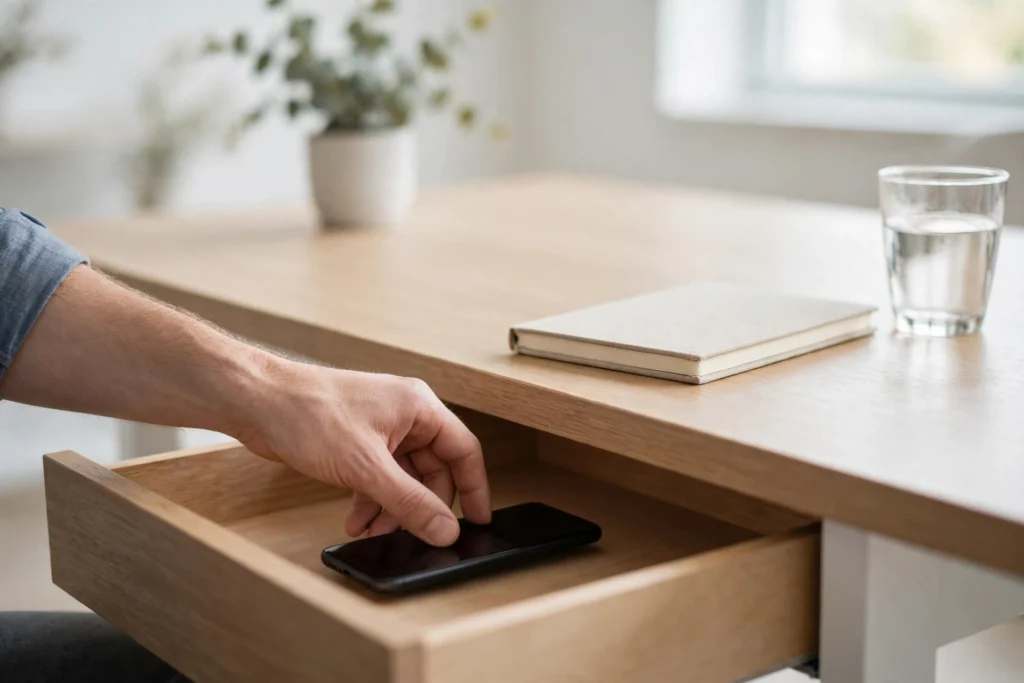
Phone checking is a habit, and habits run on a simple loop. Something triggers the urge, you check the phone, and you get a small reward. The trigger can be a buzz, a flashing light, boredom, or a difficult task you would rather avoid. The reward is something new: a message, a photo, or a headline.
Because the reward comes so quickly, the loop repeats itself many times a day. Each check teaches your brain to check again the next time you feel bored, stuck, or curious. Before long, you reach for the phone without even deciding to.
Notifications make the loop stronger. Every alert breaks your train of thought, and your mind needs a while to settle back into the task you left. A few interruptions like that can eat up a whole morning. The phone also works as an escape. When a task feels hard, dull, or unclear, the phone offers an easy way out, and checking it feels like doing something even though it moves your real work no further forward. The fix is not to fight the phone all day. It is to change the environment so the phone has fewer chances to win.
8 Tips to Stop Phone Distractions at Work
These eight tips work best together, but you do not need all eight on day one. Start with the one that feels easiest, use it for a few days, and then add the next.
1. Move Your Phone Out of Reach
The most effective step is also the simplest: put your phone somewhere you cannot reach without getting up. A drawer, your bag, or another room all work. Out of sight really does mean out of mind.
Turning the phone face down is not enough. You can still see it, and the next buzz will still pull your eyes toward it. Distance adds friction: if checking means standing up and walking across the room, you will only do it for a real reason.
2. Silence Notifications That Can Wait
Most notifications are not urgent. They only feel urgent because they arrive with a sound, a vibration, or a red badge. Go through your settings and turn off alerts from every app that does not need an immediate reply. Social apps, news apps, and games can all wait until you choose to open them.
Keep sound and vibration only for calls and messages from your manager, your team, or your family. You are not ignoring people. You are choosing when to give them your attention, instead of letting every app choose for you. Also turn off the little red number badges on your app icons, so opening an app becomes a choice rather than a reaction.
3. Switch On Focus Mode for Deep Work
Almost every modern phone has a built-in focus mode that silences alerts for a set period. Use it during your main work blocks, and allow calls from a short list of important people, so you are still reachable for a real emergency.
The best part is that you can set it to switch on and off automatically. Pick your deep work hours, for example the first two hours of the day, and let the phone handle the rest. Think of focus mode as a closed office door. It means you are unavailable for the next hour, and everyone can wait that long for anything that is not an emergency.
4. Check Your Phone on a Schedule, Not on Impulse

A schedule turns phone checking from a leak into a planned break. Decide in advance when you will check your phone, and stick to those times. Three checks a day is a good starting point: mid-morning, lunch, and mid-afternoon. Between those times, the phone stays out of reach and silent.
At first, you will feel the urge to check between scheduled times. That feeling is normal, and it passes. Remind yourself that your next check is already planned, and anything truly urgent will still come through as a call. If three checks feel too strict, start with four or five and reduce the number over a couple of weeks. The principle matters more than the number: you decide when the phone gets your attention, not the other way round.
5. Take Distracting Apps Off Your Home Screen
Your home screen is a shop window. Every icon sitting there is an invitation to tap it, and the most distracting apps are usually the easiest to reach. Move social apps, video apps, and news apps off your home screen and into a folder. You can still open them, but you have to search for them by name first.
That small extra step matters more than it sounds. Impulse taps happen because the app is right there. When you have to type the name and wait a second, the impulse often fades before the app even opens. Fill the freed-up space with tools that help your work: a notes app, a calendar, or a simple timer.
6. Keep Your Phone Charging Outside Your Workspace
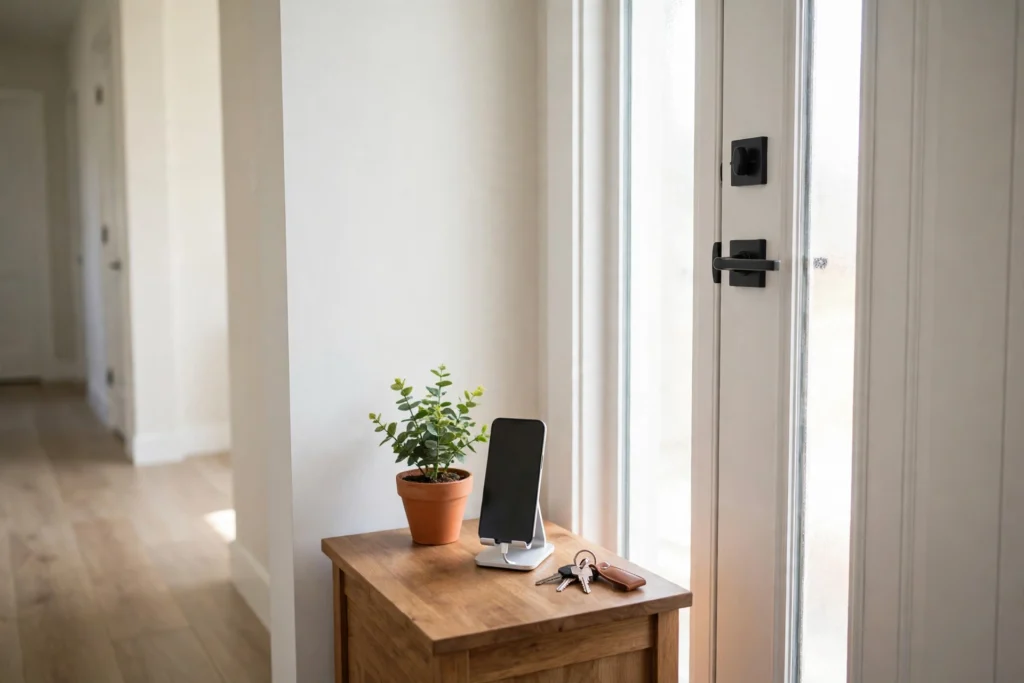
Give your phone a fixed home that is not your desk. A charger by the door, in the kitchen, or in another room works well. When you arrive at work, the phone goes on the charger and stays there until your next scheduled check.
This tip works especially well if you work from home, where the phone often sits beside the keyboard all day. You cannot absent-mindedly pick up a phone that is not there. If you worry about missing an important call, keep the ringer on and the door open. You will still hear a call from the next room, but you will not pick up the phone for a quick scroll that turns into twenty lost minutes.
7. Replace the Checking Habit With Something Else
The urge to check your phone is often your brain asking for a break. It is bored, tired, or stuck, and it wants something new. Instead of fighting the urge, give it a better answer. Stand up, stretch, drink a glass of water, or step to a window for a minute. A short physical break satisfies the same need without opening the phone.
A notebook helps here too. If a thought keeps pulling you toward the phone, write it down and deal with it later. Over time, the replacement becomes the new habit. Your brain learns that feeling stuck means stretching or taking notes, not reaching for the phone.
8. Set Clear Reply Times So Nobody Expects Instant Answers
Much of the pressure to check your phone comes from other people. If your team is used to instant replies, every message feels urgent, and ignoring the phone feels rude. The way out is to set expectations in advance. Tell your team when you check messages: at set times during the day, with replies within the hour.
Fast replies train people to expect fast replies. Slower, predictable replies train people to plan ahead. For anything that truly cannot wait, a phone call is still there. That is what calls are for.
Practical Tips

- Start with one tip only. Pick the tip that feels easiest, use it for three or four days, and then add the next one. Changing everything at once is hard to keep up.
- Pair phone-free time with your hardest task. Do your most demanding work during your first phone-free block, when your focus is freshest.
- Keep a paper notepad beside you. Write down anything you would normally reach for your phone to remember, and deal with the list at your next scheduled check.
- Review your phone’s usage summary once a week. It shows which apps take most of your time, so you know where to tighten the rules next.
- Keep lunch phone-free. Eat away from your desk without the phone, and let your mind rest. You will return to work sharper than after a lunch spent scrolling.
- Ask a colleague to join you. Keeping phones away during shared work time is easier when two of you do it together.
Key Takeaways
- Phone checking is a habit loop, not a character flaw. Changing the setup beats relying on willpower.
- Distance is the strongest tool: a phone out of reach gets checked far less than one on the desk.
- Silence everything that is not urgent, and let your phone’s focus mode handle the rest automatically.
- Check your phone at set times instead of whenever the urge appears.
- Tell people when you will reply, so instant answers stop being expected.
- Start with one tip, keep it going for a few days, then add the next.
Frequently Asked Questions
Is it rude to ignore messages during work hours?
No. Answering messages at set times is professional, not rude. Most work messages do not need an instant reply, and a clear reply time is better than a rushed answer sent mid-task. If a matter is truly urgent, people can call you. Let your team know your check-in times so nobody is left guessing.
What if my job needs me to be reachable on my phone?
You can still be reachable without being interrupted all day. Keep calls switched on and silence everything else. Agree with your manager on what counts as urgent and which channel it should come through. That way, a call means something important, and everything else waits for your next scheduled check.
How long does it take to break the phone-checking habit?
There is no fixed timeline, and it is different for everyone. The first few days are usually the hardest, because the urge to check is still strong. The changes generally feel easier after the first week, once the new setup becomes normal. If you slip, put the phone away and carry on.
Should I delete my social apps completely?
Deleting them is not necessary for most people. Removing the apps from your home screen and silencing their notifications is usually enough to break the impulse to open them. If you still open them through search often, deleting them for a week or two can help reset the habit. You can always add them back once it is weaker.
What should I do when I slip and spend twenty minutes scrolling?
Do not turn one slip into a failed day. Close the app, put the phone back where it belongs, and return to your work. A slip is useful information: it tells you which moment of the day is hardest. If you always slip after lunch, plan a walk or a phone-free break then instead.
Conclusion
Learning how to stop phone distractions at work is not about fighting your phone. It is about setting up your day so the phone has fewer chances to pull you away. Move it out of reach, silence what can wait, check it on a schedule, and tell people when you will reply. Start with one tip today and add the next when the first feels normal. Your attention is your most useful work tool, and these small changes protect it.